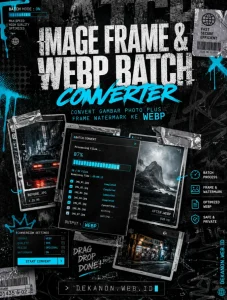
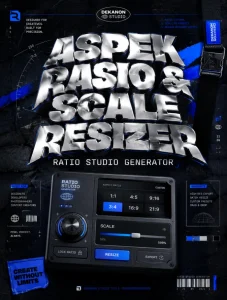
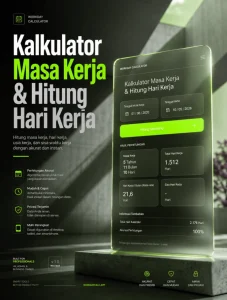
This is a creative direction for a high-impact, urban-industrial promotional flyer. The concept merges the "utility" of tool-based software with the raw, aggressive aesthetic of underground streetwear culture.
### 1. [Visual Prompt]
**Tasked for Midjourney v6 or DALL-E 3:**
> **A high-octane, streetwear-inspired promotional poster for a digital tool. The central focus is a rugged, industrial smartphone held by a hand with tech-wear gloves, emitting a sharp, electric-blue scanning laser beam onto a wall of distressed, torn-up wheatpaste posters. The aesthetic is "Urban Grunge": heavy film grain, xerox-style halftone textures, and raw ink-bleed edges. The background features a dark, concrete alleyway with brutalist architecture and subtle glitch artifacts. Color Palette: Deep charcoal, stark white, and high-contrast electric cyan highlights. Style: A mix of 90s rave flyer energy and modern technical brutalism. High-resolution, cinematic lighting, 8k, raw texture intensity.**
***
### 2. [Agency Layout Tip]
To maintain the **Streetwear Grunge** aesthetic while ensuring the "Tools" niche remains professional, follow this layout hierarchy:
* **The Hero Title ("Pro Image to Text (OCR) Scanner"):** Use a bold, distorted, or "heavy" Sans-Serif typeface (like *Impact, Helvetica Compressed,* or a custom *Brutalist* font). Place this in the upper third of the flyer. Apply a "Photocopy" or "Threshold" effect to the text to make it look like it was printed and scanned back in.
* **The Sub-title ("[ V.1 ]"):** Place this immediately below the Hero Title or in the top-right corner inside a small, solid black rectangular box with white monospaced text (like *Courier* or *JetBrains Mono*). This gives it a "technical versioning" feel.
* **The Visual Flow:** Ensure the "Scanning Laser" from the AI-generated image leads the viewer's eye directly toward the middle of the page where you can list 3 bullet-point features in small, clean text.
* **The Footer (DEKANON.WEB.ID):** Place the URL at the very bottom, stretched slightly (tracking) to span the width of the page. Use a "Warning Tape" or "Barcode" graphic element near the URL to reinforce the "Tools/Industrial" theme.
* **Finishing Touch:** Overlay a "Dust & Scratches" texture over the *entire* final design to unify the digital text with the AI-generated background.
👁 47
Home
/
Webapp /
Image to Text (OCR) Scanner [ V1 ]
Image to Text (OCR) Scanner [ V1 ]
Labels
Web App
Studio Pro Image to Text (OCR) Scanner
🔍 Pro Image to Text (OCR) Scanner
Ekstrak teks ketikan dari foto dokumen, buku, atau kuitansi secara instan tanpa batas kuota.
Bahasa Dokumen:
Menyiapkan Engine OCR...0%
Hasil Pemindaian Teks (Dapat Diedit)
Teks berhasil disalin! 📋
Aplikasi pemindai tingkat profesional (Pro Scanner) ini membawa efisiensi ke level berikutnya berkat beberapa keunggulan utama:
Akurasi Tinggi & Dukungan Multi-Bahasa: Didukung oleh kecerdasan buatan (AI) tingkat lanjut, alat ini mampu mengenali berbagai jenis fon—bahkan tulisan tangan—serta mendukung konversi teks dari puluhan bahasa asing tanpa salah eja.
Pemrosesan Cepat dalam Hitungan Detik: Cukup ambil foto dokumen, nota belanja, atau halaman buku, dan aplikasi akan langsung mengekstrak teksnya secara instan.
Fitur Ekspor Fleksibel: Pengguna dapat dengan mudah mengubah hasil pindaian menjadi format populer seperti PDF, Word (DOCX), atau TXT, lalu langsung membagikannya ke cloud storage atau email.
💬 Feedback (0)
📢 Latest Update
Tombol Download QR Code (.png): Hasil QR Code yang digenerate sekarang bisa langsung diunduh secara instan dalam format file PNG berkualitas tinggi.
Pilihan Tingkat Kerumitan (Error Correction Level): Ditambahkan kontrol untuk memilih tingkat kerumitan QR Code (Rendah / Sedang / Tinggi). Secara default sudah diset ke Sedang (Medium) agar tampilan garis-garis barcodenya tidak terlalu padat/rumit, namun tetap sangat mudah di-scan oleh kamera HP.
![Image to Text (OCR) Scanner [ V1 ]](https://dekanon.web.id/wp-content/uploads/2026/07/Image-to-Text-OCR-Scanner-.webp)