Here is a professional creative direction and prompt for your project.
### 1. [Visual Prompt]
**Tasked for Midjourney v6 / DALL-E 3:**
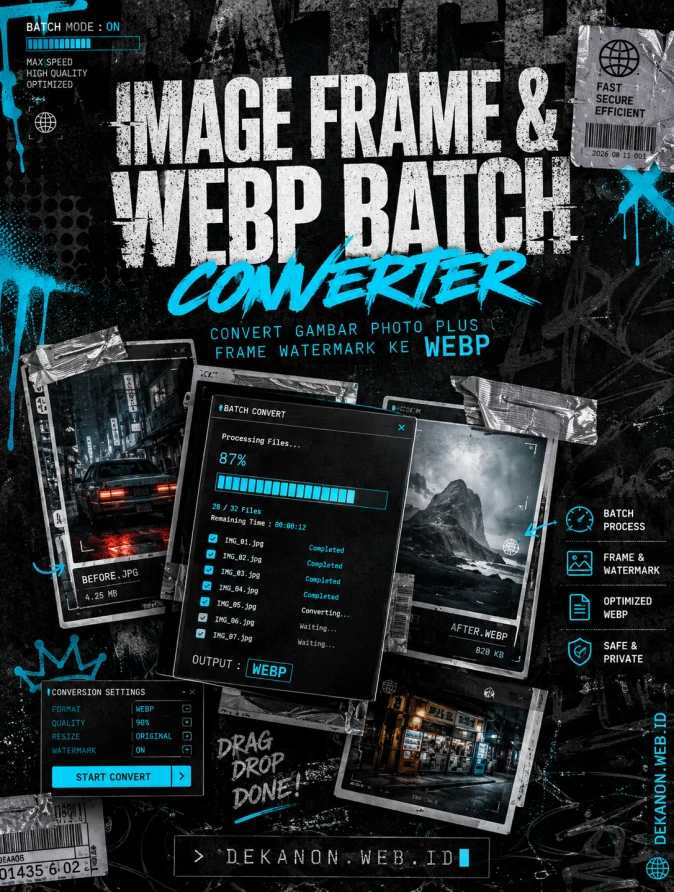
> **A high-impact, professional promotional flyer background in a "Streetwear Grunge" aesthetic. The central focus features a chaotic but balanced stack of floating digital photo frames and glowing UI windows showing batch processing progress bars. The style is raw and urban: heavy film grain, distressed xerox photocopy textures, and subtle halftone patterns. Accents of silver duct tape on the corners of the frames. Color palette: Deep Charcoal, Electric Cyan, and Industrial Grey. Visual elements include spray-paint drips, distorted typography textures in the background, and a "brutalist" layout. High contrast, cinematic lighting, raw energy, 8k resolution, ultra-detailed textures, streetwear editorial photography style.**
---
### 2. [Agency Layout Tip]
To maintain the **Streetwear Grunge** aesthetic while keeping the tool’s message clear, follow this hierarchy for your typography in post-production (Canva/Photoshop):
* **The Hero Title ("Image Frame & WebP Batch Converter"):** Place this in the upper-middle section. Use a **bold, heavy Sans-Serif font** (like *Helvetica Bold* or *Impact*). Apply a "glitch" or "distorted" effect to the edges. Let some of the background elements overlap the letters slightly to integrate the text into the grunge scene.
* **The Sub-title ("Convert Gambar Photo Plus Frame Watermark ke Webp"):** Place this directly beneath the hero title in a smaller, wide-kerning (spaced out) font. Use a bright, contrasting color like **Neon Cyan or Safety Orange** to make the "WebP" part pop.
* **The Technical Details (DEKANON.WEB.ID):** Place this at the very bottom or vertically along the right edge. Use a **Monospace/Typewriter font** (like *Courier* or *JetBrains Mono*) to give it a "coder/tool" vibe that balances the raw streetwear energy.
* **Final Touch:** Add a slight "Noise" or "Grain" filter over the final text layers so they don't look too "clean" compared to the background.
Image Frame & WebP Batch Converter adalah tool web berbasis browser yang dirancang untuk menggabungkan banyak foto dengan frame PNG transparan (overlay/watermark) secara massal, sekaligus mengonversi hasilnya ke format WebP yang efisien dan ringan. Tool ini bekerja secara lokal di browser pengguna tanpa mengunggah file ke server, sehingga prosesnya cepat dan menjaga privasi gambar.
Fitur Utama:
Proses Massal (Batch): Mampu mengolah hingga 30 foto sekaligus dalam satu kali proses.
Auto Overlay Frame: Menempelkan frame PNG transparan di atas foto secara presisi mengikuti resolusi asli gambar.
Konversi WebP Otomatis: Mengompresi dan mengubah format akhir ke WebP untuk ukuran file yang lebih kecil tanpa merusak kualitas.
Batch Download: Mengunduh seluruh hasil foto ber-frame secara otomatis dalam sekali klik.
Cara Penggunaan
Upload Foto
Klik kotak "1. Upload Foto" atau drag & drop gambar yang ingin diproses (maksimal 30 foto sekaligus, format JPG, PNG, atau WebP).
Upload Frame PNG
Klik kotak "2. Upload Frame PNG" lalu pilih 1 file frame transparan berformat PNG yang ingin dijadikan overlay atau watermark (gunakan rasio yang sama dengan foto, misalnya 3:4 atau 1:1).
Cek Tampilan Preview
Periksa hasil gabungan foto dan frame pada area preview di bagian bawah untuk memastikan posisi gambar sudah sesuai.
Proses Penggabungan & Konversi
Klik tombol "Convert Semua ke WebP". Sistem akan memproses dan menggabungkan foto dengan frame satu per satu.
Unduh File
Setelah status konversi selesai, klik tombol "Download Semua" untuk mengunduh seluruh file WebP hasil gabungan ke perangkat Anda.