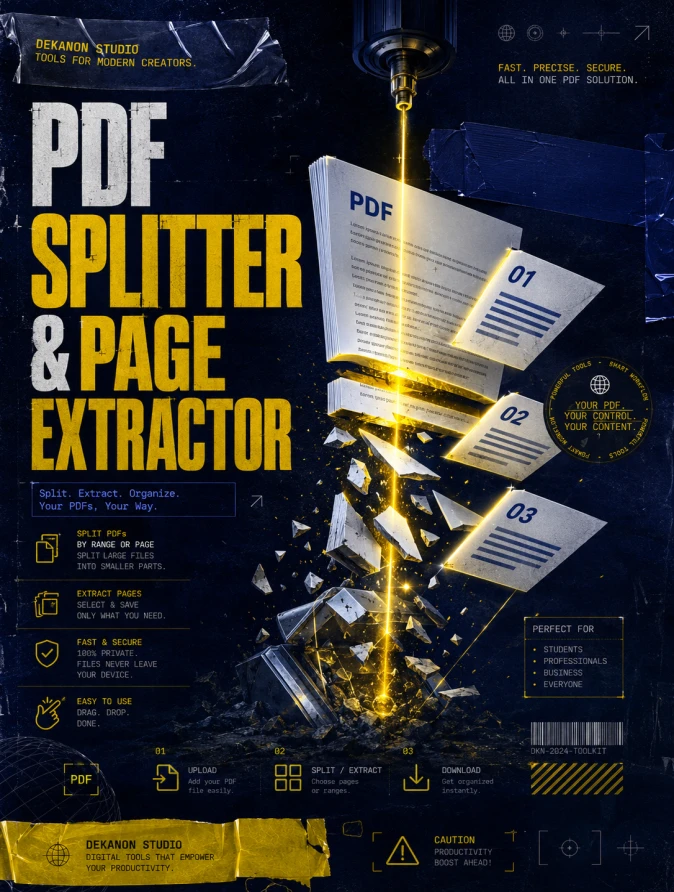
Commercial grade masterpiece graphic design flyer with a 3:4 aspect ratio. The aesthetic is strictly high-end Streetwear, featuring an edgy, urban composition. The focal point is a stylized, abstract representation of digital documents being sliced and reorganized by vibrant yellow laser-light beams. The color theme is a striking contrast of KUNING BIRU (vivid yellow and deep navy blue). Large, bold typography prominently displays the text 'PDF Splitter & Page Extractor' using award-winning layout techniques. The background features high-end textures such as distressed concrete, subtle halftone patterns, and industrial metallic accents. Visual instructions: Place elements with proper breathing room, professional studio lighting with cinematic shadows, and agency-grade post-production. Elements include 3D rendered paper shards with glossy finishes, streetwear-inspired graphic motifs like duct tape textures and technical schematics. 4k resolution, sharp focus, high-fashion techwear vibe.
👁 75
Home
/
Webapp /
PDF Splitter & Page Extractor Studio |
DekaNon Labs
PDF Splitter & Page Extractor Studio
Labels
Web App
★☆☆☆☆ |
Experimental |
Features may change.
✂️ PDF Splitter & Page Extractor
Ambil atau pisahkan halaman tertentu dari file PDF Anda dengan mudah.
📂 1. Upload File PDF
Klik / Tarik & Lepas File PDF
Pilih 1 file PDF yang ingin dipisah
✂️ 2. Tentukan Halaman
Gunakan tanda koma (,) & strip (-) untuk rentang.
📄 Info Dokumen PDF
Silakan unggah file PDF untuk melihat detail dokumen.
PDF Splitter & Page Extractor Studio
Fungsi Utama: Memisah file PDF tebal atau mengambil halaman tertentu saja.
Fitur Unggulan: Pengguna bisa memasukkan rentang halaman yang ingin diambil (contoh: 1-3, 5, 8-10), lalu tool akan memotong dan mengunduh halaman tersebut sebagai dokumen PDF baru.
💬 Feedback (0)
📢 Latest Update
Tombol Download QR Code (.png): Hasil QR Code yang digenerate sekarang bisa langsung diunduh secara instan dalam format file PNG berkualitas tinggi.
Pilihan Tingkat Kerumitan (Error Correction Level): Ditambahkan kontrol untuk memilih tingkat kerumitan QR Code (Rendah / Sedang / Tinggi). Secara default sudah diset ke Sedang (Medium) agar tampilan garis-garis barcodenya tidak terlalu padat/rumit, namun tetap sangat mudah di-scan oleh kamera HP.