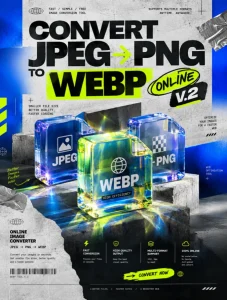
A high-end commercial graphic design poster for a professional tool, presented in a 3:4 aspect ratio. The composition is a masterpiece of visual hierarchy, strictly adhering to Neo Brutalism, Glassmorphism, and Streetwear aesthetics. The focal point features a multi-layered glass-morphic interface showing an 'Image Resize & DPI Calculator' with realistic frosted glass effects, refraction, and sharp shadows. Bold, chunky geometric shapes in Deep Slate and Electric Blue define the Neo Brutalist structure. High-contrast typography displays the headline 'Image Resize & DPI Calculator' in a massive, heavy sans-serif font, while 'DEKANON.WEB.ID' is integrated with a sleek, technical streetwear vibe. The background includes subtle industrial textures and technical grid overlays. Place elements with proper breathing room, professional studio lighting, high-end textures, and agency-grade post-production. 4k resolution, award-winning design, commercial grade quality, vibrant blue accents against a neutral professional palette.
Resize gambar, hitung ukuran cetak, dan cari kebutuhan pixel
berdasarkan DPI. Semua proses berjalan langsung di browser.
🖼️
Image
Original Size
-
File Size
-
Format
-
Aspect Ratio
-
📐
Resize Image
Estimated Print Size
-
Resolution
300 DPI
Centimeter-
Millimeter-
Inch-
90%
✓ Image berhasil diproses
💡 Tip:
Untuk cetak berkualitas tinggi gunakan sekitar
300 DPI. Untuk penggunaan web,
72–96 DPI biasanya sudah cukup karena layar bekerja
berdasarkan pixel.
🎯
Print Size Calculator
=
Masukkan ukuran gambar dalam pixel. Hasil ukuran cetak
otomatis dihitung menggunakan DPI yang dipilih di atas.
Image Resize & DPI Calculator — Resize Gambar dan Hitung Ukuran Cetak
Image Resize & DPI Calculator adalah tool gratis untuk mengubah ukuran gambar sekaligus menghitung kebutuhan resolusi berdasarkan DPI. Cocok untuk desainer, fotografer, percetakan, UMKM, maupun pengguna yang ingin menyiapkan gambar untuk kebutuhan cetak. Masukkan gambar, tentukan ukuran pixel dan DPI, lalu tool akan menghitung estimasi ukuran cetaknya dalam cm, mm, dan inch. Gambar diproses langsung di browser sehingga tidak perlu dikirim atau disimpan ke server. Mendukung format JPG, PNG, dan WebP serta menyediakan hasil yang bisa langsung diunduh.
DPI di tool ini digunakan untuk menghitung ukuran cetak. Canvas browser bekerja berbasis pixel; jadi misalnya gambar 3000×2000 px pada 300 DPI berarti ukuran cetaknya 10×6,67 inch. Ini tidak mengubah kualitas gambar secara ajaib—kualitas tetap bergantung pada jumlah pixel asli.