24.5.12
LOCS | 00:00 | 2026/07/25
/0
0
HARDCODE
Image Pixelate Tool
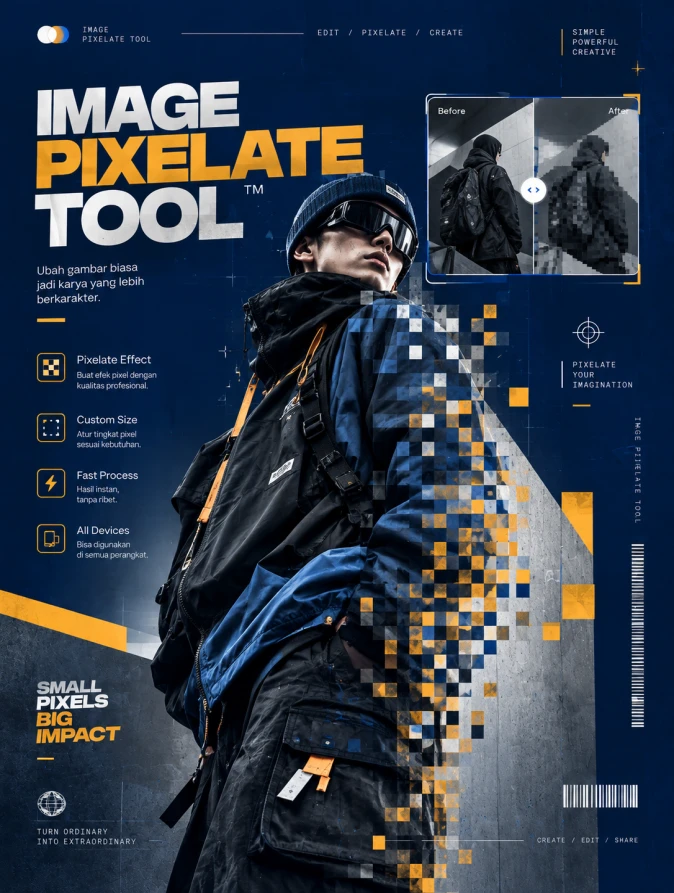
A high-end commercial graphic design flyer with a 3:4 aspect ratio, embodying a premium Streetwear aesthetic. The central focus is a sophisticated visual representation of the 'IMAGE PIXELATE TOOL'. The composition features a high-fashion model in technical oversized apparel, where sections of the garment and silhouette transition into hyper-detailed, artistic pixel blocks. The headline 'IMAGE PIXELATE TOOL' is rendered in bold, modernist typography with a subtle metallic sheen. The background is a minimalist, professional studio setting with high-end concrete textures and atmospheric depth. Lighting is agency-grade studio quality, utilizing sharp key lights and soft rim lighting to accentuate fabric textures and digital artifacts. The color palette is a harmonious blend of obsidian black, stark white, and a vibrant electric orange accent. Award-winning design, 4k resolution, masterpiece quality, commercial grade post-production with perfect visual hierarchy and ample breathing room.
👁 244
Home / Webapp | Image Tools / Image Pixelate Tool | DekaNon Labs

Image Pixelate Tool

Labels
Web App
★☆☆☆☆ | Experimental | Features may change.

IMAGE PIXELATE TOOL

RETRO PIXEL EDITOR • QUICK • SIMPLE • BROWSER BASED

▦
PIXEL PREVIEW AREA Upload an image to start
NO IMAGE LOADED
— WIDTH
— HEIGHT
12 PX PIXEL SIZE

★ PIXELATE TIPS

Pixelation transforms an image into a block-based retro visual style by reducing the amount of visible image detail.

  • Small pixel sizes preserve more image detail.
  • Larger pixel sizes create a stronger 8-bit effect.
  • Retro color mode creates a more classic game-era look.
  • PNG is recommended when you want maximum image quality.
  • Use JPG or WEBP when smaller file sizes are preferred.
  • Image processing happens locally inside your browser.

Image Pixelate Tool – Ubah Foto Menjadi Efek Pixel Online

Image Pixelate Tool adalah alat online praktis untuk mengubah foto dan gambar menjadi tampilan pixel atau efek retro digital. Dengan tool ini, pengguna dapat mengatur ukuran pixel sesuai kebutuhan untuk menghasilkan efek sederhana hingga tampilan 8-bit yang lebih kuat.

Cara menggunakannya cukup mudah. Upload gambar, tentukan Pixel Size, pilih gaya pixel, kemudian atur mode warna yang diinginkan. Hasil perubahan dapat dilihat langsung melalui preview sebelum disimpan dalam format PNG, JPG, atau WEBP.

Tool ini cocok untuk membuat avatar retro, aset game, konten media sosial, desain kreatif, maupun eksperimen visual. Proses pixelation dilakukan langsung di browser sehingga pengeditan dapat dilakukan dengan cepat tanpa instalasi aplikasi tambahan.

💬 Feedback (0)
📢 Latest UpdateBelum ada update.


💬 Feedback (0)

Belum ada feedback.

×
❮
❯

BookMarks

Tersimpan otomatis di browser Anda