24.5.12
LOCS | 00:00 | 2026/07/25
/0
0
HARDCODE
Image Border Generator – Buat Frame Foto & Border PNG Online
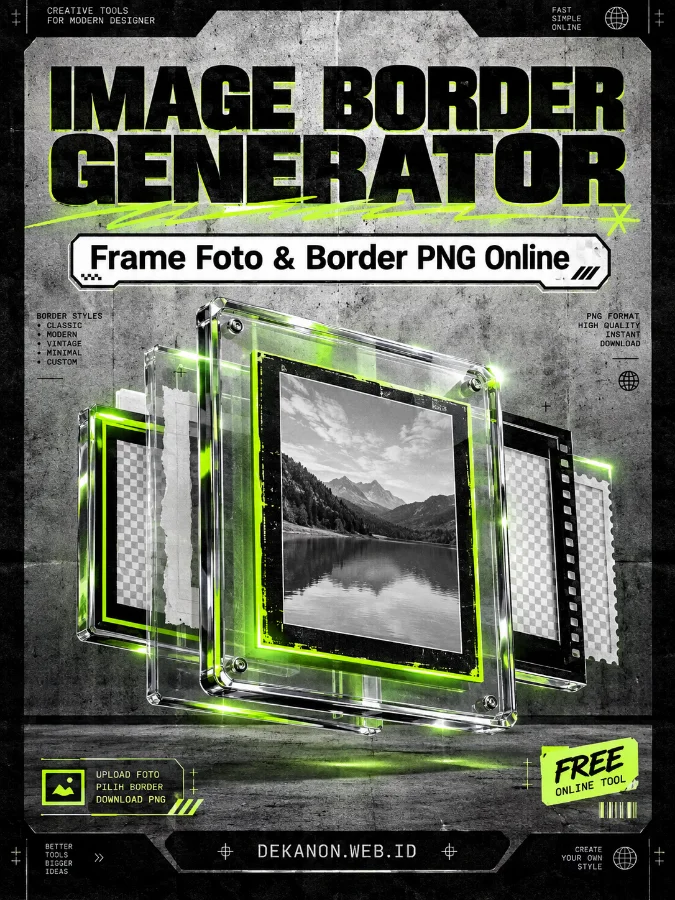
Commercial-grade award-winning design for a software product poster. Style: Neo Brutalism, Streetwear, Cinematic. The composition follows a strict visual hierarchy on a 3:4 vertical canvas. Central Visual: A floating, multi-layered glass frame with chrome edges, illuminated by cinematic rim lighting and neon green accents. Background: Gritty urban concrete texture with subtle scanlines. Top Section: The Main Headline 'Image Border Generator' is set in massive, bold, black sans-serif typography with a slight drop shadow. Mid Section: The Sub-Heading 'Frame Foto & Border PNG Online' is integrated into a high-contrast white box with sharp corners, mimicking streetwear brand labeling. Bottom Section: The body copy 'DEKANON.WEB.ID' is placed at the footer in a technical monospace font, surrounded by micro-typography and UI elements. Lighting: High-contrast chiaroscuro with electric lime highlights. Texture: 4k resolution, masterpiece quality, film grain, paper fold textures, and metallic reflections. Layout: Symmetrical with heavy borders and industrial design motifs. --ar 3:4
👁 58
Home / Webapp | Image Tools / Image Border Generator – Buat Frame Foto & Border PNG Online | DekaNon Labs

Image Border Generator – Buat Frame Foto & Border PNG Online

Labels
Web App
★☆☆☆☆ | Experimental | Features may change.
🖼️

Image Border Generator

Create professional photo borders and frames directly in your browser.

⚡ Browser Based 📸 Up to 30 Photos ⬇️ Download

01. Upload Photos

Max. 30 images
0 / 30 photos selected

02. Choose Frame

Template or PNG
🎨 Built-in Template Use ready-made frames
🖼️ Upload PNG Frame Use your own transparent frame
MIN
Minimal
LUX
Luxury
ED
Editorial
POP
Color Pop
FILM
Film
P
Polaroid

03. Image Settings

04. Additional Elements

Optional
Processing... 0%

Preview

🖼️
Your preview will appear here
Upload a photo to get started.

Generated Results

No generated images yet.

💡 Tips for Better Results

  • Use high-resolution photos whenever possible for cleaner final output.
  • Choose an aspect ratio that matches your intended platform or design format.
  • Transparent PNG frames work best when their canvas ratio matches the selected output.
  • Use Cover for full-frame photography and Contain when you need to preserve the complete image.
  • For batch processing, prepare all photos first and apply the same visual settings consistently.
  • Your image processing is performed directly inside the browser.

Buat Tampilan Foto Lebih Konsisten dan Profesional

Image Border Generator adalah tool praktis untuk membuat tampilan foto lebih rapi, konsisten, dan profesional tanpa perlu menggunakan software desain tambahan. Upload hingga 30 foto sekaligus, pilih template frame yang tersedia, atau gunakan PNG frame buatan sendiri. Anda juga dapat menentukan aspect ratio, posisi gambar, logo, badge, watermark, caption, dan berbagai elemen tambahan sebelum menghasilkan gambar. Semua proses dilakukan langsung di browser, kemudian hasil akhir dapat dipreview dan diunduh sebagai PNG. Tool ini cocok untuk kebutuhan produk, fashion, F&B, wedding, event, katalog, campaign, maupun konten media sosial yang membutuhkan tampilan visual konsisten.
💬 Feedback (0)
📢 Latest UpdateBelum ada update.


💬 Feedback (0)

Belum ada feedback.

×
❮
❯

BookMarks

Tersimpan otomatis di browser Anda