24.5.12
LOCS | 00:00 | 2026/07/25
/0
0
HARDCODE
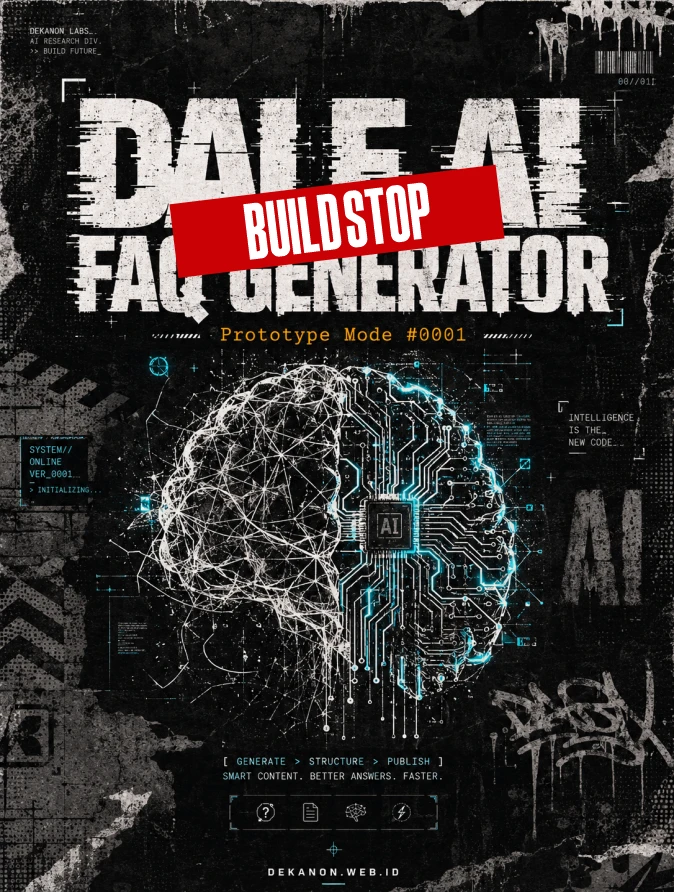
Sebagai Creative Director, saya telah merancang prompt ini dengan pendekatan **"Futuristic Brutalism"** yang digabungkan dengan **"Streetwear Grunge"**. DALL-E 3 merespons instruksi teks dengan sangat baik jika diberikan konteks hierarki visual yang jelas. Berikut adalah blueprint desain Anda: ### 1. [Visual Generation Prompt] **Copy-paste prompt berikut ke dalam ChatGPT:** > **Prompt:** > "A professional vertical flyer design for an AI product with a 3:4 aspect ratio. The aesthetic is 'Streetwear Grunge' meets 'Futuristic Brutalism'. > > **Background:** Dark charcoal concrete texture with heavy film grain, subtle xerox scan lines, and distressed paper tear overlays. Incorporate raw urban elements like faint spray-paint drips and industrial stencil marks in the corners. > > **Typography & Text (Crucial):** > 1. **Hero Title (Top-Center):** In a massive, bold, distorted sans-serif font, display the text 'DALF AI FAQ Generator'. The letters should have a slight 'glitch' effect but remain perfectly legible. > 2. **Sub-title (Below Hero):** In a smaller, yellow or neon-orange monospaced typewriter font, display 'Prototype Mode #0001'. > 3. **Footer (Bottom Center):** In a clean, minimalist white font, display the URL 'DEKANON.WEB.ID'. > > **Visual Elements:** Centralize an abstract AI brain motif composed of circuit boards and messy wire-frame patterns, rendered in high-contrast black and white with neon cyan accents. The overall composition must feel edgy, high-energy, and underground. Raw lighting, cinematic shadows, 8k resolution, graphic design excellence." --- ### 2. [Agency Layout Tip] Untuk memastikan desain ini terlihat profesional (standar agensi) pada rasio 3:4, perhatikan panduan tata letak berikut: * **Rule of Thirds (Hierarchy):** * **Atas (Top 30%):** Letakkan Hero Title "DALF AI FAQ Generator" di sini. Pastikan ada *negative space* yang cukup di pinggir kiri dan kanan (safe zone) agar teks tidak terpotong saat di-post di media sosial. * **Tengah (Center 40%):** Area ini harus diisi oleh "Hero Visual" (abstrak AI/grunge elements). Jangan biarkan teks menutupi detail visual utama; gunakan teknik *layering* di mana teks terasa "tertanam" di dalam tekstur grunge. * **Bawah (Bottom 30%):** Letakkan Sub-title dan URL. Gunakan font yang jauh lebih kecil dari Hero Title untuk menciptakan kontras skala yang dramatis. Ini memberikan kesan "teknis" dan "eksklusif". * **Color Palette (Urban High-Contrast):** Gunakan dasar hitam/gelap (80%), putih/abu-abu (15%), dan satu warna aksen tajam seperti **Neon Orange** atau **Electric Blue** (5%) hanya untuk elemen penting seperti nomor Prototype. Ini akan mengarahkan mata audiens langsung ke informasi kunci. * **Text Distortion:** Dalam gaya Streetwear Grunge, jangan ragu untuk meminta AI memberikan efek *distressed* atau *halftone* pada huruf, selama keterbacaan (readability) tetap terjaga 100%. **Instruksi Tambahan:** Jika DALL-E memberikan teks yang salah eja, klik gambar tersebut lalu gunakan fitur "Select" (ikon kuas) pada area teks yang salah dan ketik ulang instruksi: *"Correct the spelling of this text to 'DALF AI FAQ Generator' exactly."*
👁 36
Home / Prototype / 🚧 DALF AI FAQ Generator – Build Stop #001 | DekaNon Labs

🚧 DALF AI FAQ Generator – Build Stop #001

Labels
Web App
DALF v0.2
LITE

🤖 AI FAQ Generator

DALF v0.2.0 Foundation

System Status

Browser
Detecting...
Operating System
Detecting...
Language
Detecting...
Device
Detecting...
Internet
Checking...
CPU Threads
Checking...
Memory
Checking...
Screen
Checking...
WebGPU
Checking...
AI Model
Not Installed
Cache
0 MB

AI Loader

Selected Model

Name
-
Size
-
Speed
-
RAM
-
Checking AI Compatibility...

0%

Prompt (Coming Soon)

DALF AI FAQ Generator – Be Update

Tujuan tools membuat AI FAQ Generator yang berjalan langsung di browser menggunakan WebLLM tanpa memerlukan server AI. Pengguna cukup mengunduh model AI satu kali, kemudian dapat menghasilkan FAQ dari artikel secara lokal pada kunjungan berikutnya. Tahap awal difokuskan pada pembangunan pondasi seperti UI, deteksi perangkat, kompatibilitas WebGPU, manajemen model, dan AI Engine. Setelah stabil, fitur akan dikembangkan hingga mampu menghasilkan, menyalin, dan mengekspor FAQ secara otomatis.

Hasil Sementara dan bisa dikembangkan : view-source:https://dekanon.web.id/dalf/ai-faq-generator.html

📒 DALF AI CORE - DEV NOTE

✅ Yang Sudah Selesai

Foundation
✅ Single HTML Prototype
✅ UI Dashboard
✅ System Status
✅ Browser Detection
✅ OS Detection
✅ CPU / RAM Detection
✅ Screen Detection
✅ WebGPU Detection
✅ AI Compatibility Checker
✅ Model Manager
✅ Model Information Panel
✅ localStorage (remember selected model)
✅ WebLLM berhasil di-import
✅ CreateMLCEngine() terdeteksi oleh browser
✅ Struktur dasar DALF AI terbentuk

🚧 Yang Belum

Phase 2 — AI Engine

Belum dibuat:
⬜ Engine Loader
⬜ Download Progress nyata
⬜ Model Cache Detection
⬜ Cache Manager
⬜ Load Model dari Cache
⬜ Download hanya sekali
⬜ Status AI Ready

Phase 3 — Prompt Engine

Belum dibuat:
⬜ Prompt Editor
⬜ System Prompt
⬜ Generate Button
⬜ Stop Button
⬜ Streaming Output
⬜ Error Handler

Phase 4 — FAQ Generator

Belum dibuat:
⬜ Ambil artikel
⬜ Kirim ke AI
⬜ Generate FAQ
⬜ Copy FAQ
⬜ Download FAQ
⬜ Export Markdown
⬜ Export HTML

Phase 5 — DALF Core

Engine yang sama jika pindah ke plugin nanti bisa dipakai untuk:
⬜ AI Meta Generator
⬜ AI Rewrite
⬜ AI JSON Generator
⬜ AI Schema Generator
⬜ AI CSS Generator
⬜ AI HTML Optimizer
⬜ AI SEO Assistant

💬 Feedback (0)
📢 Latest Update
Tombol Download QR Code (.png): Hasil QR Code yang digenerate sekarang bisa langsung diunduh secara instan dalam format file PNG berkualitas tinggi.

Pilihan Tingkat Kerumitan (Error Correction Level): Ditambahkan kontrol untuk memilih tingkat kerumitan QR Code (Rendah / Sedang / Tinggi). Secara default sudah diset ke Sedang (Medium) agar tampilan garis-garis barcodenya tidak terlalu padat/rumit, namun tetap sangat mudah di-scan oleh kamera HP.


💬 Feedback (0)

Belum ada feedback.

×