This is a high-impact design concept that bridges the gap between technical utility (SaaS) and raw, urban aesthetics.
### 1. [Visual Prompt]
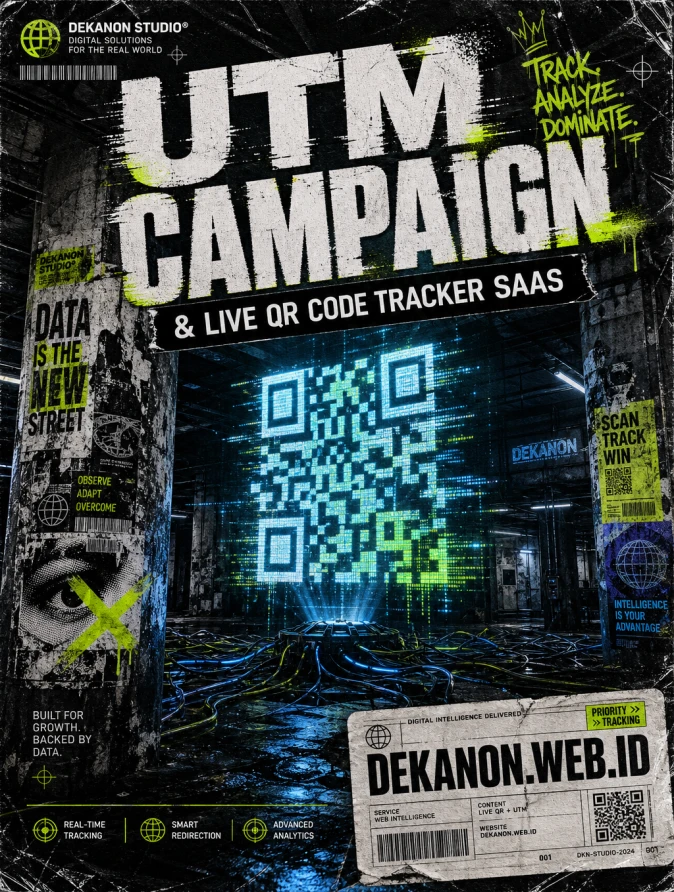
> **A high-octane, Streetwear Grunge promotional background for a digital tech studio. The central focal point features a massive, distorted holographic QR code floating in a dark, damp industrial basement. Surroundings include messy bundles of glowing fiber-optic cables, peeling "wheatpaste" street posters on concrete pillars, and heavy film grain texture. Lighting is high-contrast "noir" with flickering neon acid-green and electric-cyan accents. Aesthetic elements: Xerox-photocopy distortion, halftone dot patterns, spray-painted stencils, and raw metallic surfaces. The composition is edgy and rebellious, captured on 35mm grainy film with a wide-angle lens. Hyper-detailed textures of distressed paper and weathered concrete. --ar 4:5 --v 6.0 --stylize 250**
***
### 2. [Agency Layout Tip]
To maintain the **Streetwear Grunge** aesthetic while keeping the technical information readable, follow this structural hierarchy:
* **The Hero Title (UTM Campaign...):** Use a massive, bold Sans-Serif font (like *Helvetica Black* or *Impact*). Apply a "distorted" or "glitch" effect to the edges. Place this in the upper third of the flyer, slightly overlapping the background elements to create depth.
* **The Sub-title (& Live QR Code...):** Place this directly beneath the hero title but inside a solid black "tape-strip" or "label-maker" style box with white text. This provides a clean break from the busy background.
* **The Call to Action (URL):** Position **DEKANON.WEB.ID** at the very bottom. For a professional streetwear look, design it to look like a "security tag" or a "shipping manifest" sticker placed in the bottom right corner.
* **Texture Overlays:** After placing your text, add a final layer of "dust and scratches" or a "plastic wrap" texture over the *entire* design (text included) to make the typography feel like it’s part of the physical street environment.
👁 134
Home
/Webapp | Marketing Tools/
UTM Campaign Link Builder & Live QR Code Generator Studio |
DekaNon Labs
| DKN//
21.07.2026
UTM Campaign Link Builder & Live QR Code Generator Studio
Labels
Web App
★★★★☆ |
Production Ready |
Optimized for daily use.
🎯 UTM Campaign Builder & QR Code Studio
Buat tautan tracking Google Analytics (UTM) & QR Code secara cepat untuk promosi media sosial dan iklan.
📱 Live QR Code Preview
QR Code otomatis terbuat dari tautan UTM Anda. Siap dipasang di brosur, poster, atau banner!
🚀 UTM Campaign Link Builder & Live QR Code Generator Studio
Banyak pemilik website, content creator, dan marketer butuh lacak dari mana asal pengunjung website mereka (misal: dari Link Bio IG, Iklan TikTok, atau Email). Tool ini membantu mereka:
Membuat URL UTM tracking standar Google Analytics secara otomatis.
Memiliki Preset Tombol Cepat (Instagram Bio, TikTok Ads, Google Ads, WA Blast).
Meng-generate QR Code siap pakai secara instan dalam satu klik.
📝 Cara Menggunakan UTM Link Builder & QR Code Generator
Misalkan Anda memiliki toko online dengan link produk:
https://tokosaya.com/sepatu-sneakers
Anda ingin mempromosikan produk ini melalui Link di Bio Instagram untuk promo bulan Juli.
Klik tombol 📋 Salin Link lalu tempel tautan tersebut ke Bio Instagram Anda.
Jika Anda membuat brosur/poster cetak, Anda tidak perlu repot mendesain QR Code lagi! Cukup right-click atau download gambar Live QR Code yang otomatis terbentuk di sebelah kanan tool, lalu tempel ke desain cetak Anda.
Buka Google Analytics, lalu cek menu Reports > Acquisition > Traffic acquisition untuk melihat berapa banyak pengunjung yang mengklik link tersebut!