24.5.12
LOCS | 00:00 | 2026/07/25
/0
0
HARDCODE
Image Blur Tool – Blur Foto Online dengan Cepat dan Mudah
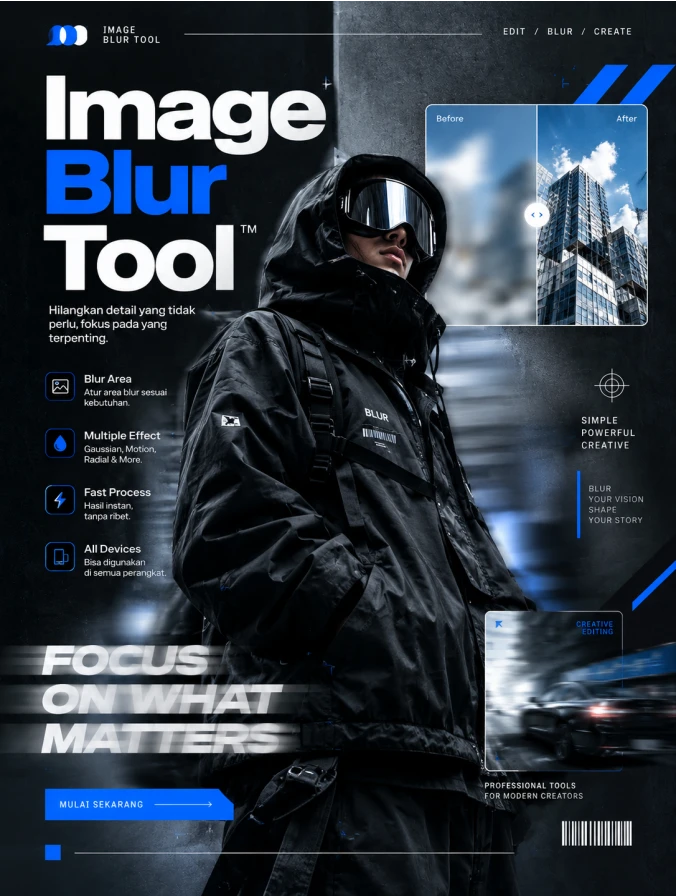
A commercial-grade, award-winning graphic design flyer for 'Image Blur Tool' with a 3:4 aspect ratio. The aesthetic is strictly high-end Streetwear, featuring a central focal point of a model in oversized black techwear and a reflective visor. Sophisticated digital blur effects are applied artistically across the composition, showcasing the 'Image Blur Tool' capability. The headline 'Image Blur Tool' is integrated into the design using bold, minimalist typography with perfect kerning. The layout features professional studio lighting with high-end textures such as matte fabrics and frosted glass. Elements are placed with proper breathing room following an agency-standard visual hierarchy. Agency-grade post-production, 4k resolution, masterpiece quality, featuring a harmonious professional palette of deep slate, stark white, and electric blue accents.
👁 240
Home / Webapp | Image Tools / Image Blur Tool | DekaNon Labs

Image Blur Tool

Labels
Web App
★☆☆☆☆ | Experimental | Features may change.

Image Blur Tool

Blur & anonymize images directly in your browser

🖼️
Your blurred image will appear here Upload an image to begin editing
Waiting for image

💡 Tips for Using Image Blur

Use this tool to quickly blur sensitive or unwanted visual details before sharing an image online.

  • Use lower blur values for subtle visual effects.
  • Increase blur strength when hiding faces, text, or sensitive information.
  • PNG is recommended when transparency is important.
  • JPG is useful for smaller photographic files.
  • All image processing happens locally in your browser; the image is not uploaded to a server by this tool.

Image Blur Tool – Blur Foto Online dengan Cepat dan Mudah

Image Blur Tool adalah alat online praktis untuk memburamkan foto dan gambar dengan cepat tanpa perlu menginstal aplikasi tambahan. Tool ini dapat digunakan untuk memberikan efek blur pada gambar, menyamarkan detail tertentu, atau membantu mengurangi keterbacaan informasi visual sebelum gambar dibagikan.

Pengguna cukup mengunggah gambar, mengatur tingkat blur strength, memilih mode blur, kemudian melihat hasilnya secara langsung melalui preview. Hasil gambar juga dapat disimpan dalam format PNG, JPG, atau WEBP.

Image Blur Tool cocok digunakan untuk kebutuhan konten media sosial, desain, dokumentasi, presentasi, maupun pengeditan gambar sederhana. Proses pengolahan berlangsung langsung di browser sehingga pengguna dapat mengedit gambar dengan lebih praktis dan cepat.

💬 Feedback (0)
📢 Latest UpdateBelum ada update.


💬 Feedback (0)

Belum ada feedback.

×
❮
❯

BookMarks

Tersimpan otomatis di browser Anda