24.5.12
LOCS | 00:00 | 2026/07/25
/0 ✦
0 | 0
HARDCODE
HTML Live Preview
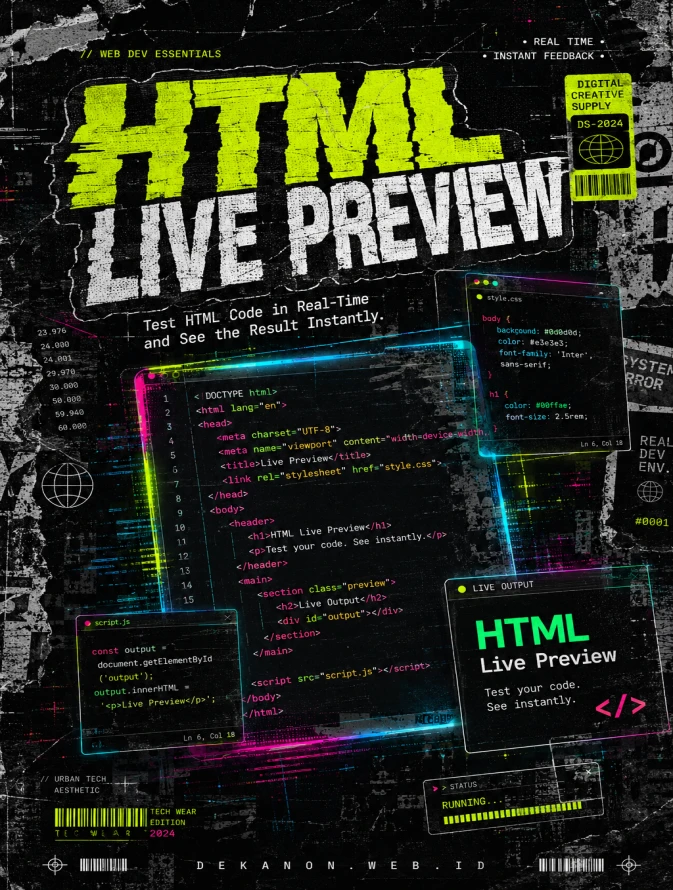
### 1. [Visual Prompt] **Prompt for Midjourney / DALL-E:** > A high-impact, professional streetwear-inspired graphic design for a technical flyer. The central focus is a distorted, glowing digital viewport showing HTML code snippets with vibrant syntax highlighting (neon lime, electric cyan, and hot pink). The background is a fusion of gritty urban textures: weathered concrete, "wheat-paste" poster layers, and heavy film grain. Incorporate "glitch art" elements and xerox-scan textures with high-contrast black and charcoal tones. The aesthetic is raw and "Neo-Grunge," featuring subtle halftone patterns and analog noise. In the foreground, floating transparent windows mimic a live code editor interface. Dramatic cinematic lighting, 8k resolution, raw energy, urban tech aesthetic. --ar 4:5 --v 6.0 *** ### 2. [Agency Layout Tip] To master the **Streetwear Grunge** aesthetic while maintaining the professional utility of a tech flyer, follow this hierarchical layout strategy: * **The Hero Title ("HTML LIVE PREVIEW"):** Place this at the top 1/3 of the flyer. Use a "Heavy Extended" Sans-Serif font or a monospaced "Coder" font. To match the style, apply a slight "Liquify" or "Warp" effect to the text, or use a "Sticker Slap" overlay style where the text looks like it was printed on a vinyl sticker and placed over the image. * **The Sub-title ("Test HTML Code..."):** Position this directly below the hero title in a much smaller, clean, white Helvetica or Inter font. This contrast between the "messy" grunge and "clean" typography is a hallmark of modern streetwear design. * **The Hero Visuals:** Ensure the "Code" elements from the AI prompt are centered. If the image is too busy, place a semi-transparent black rectangle (60% opacity) behind your text to ensure legibility. * **The Footer (DEKANON.WEB.ID):** Place the URL at the very bottom edge. Use a "Bar-code" font variant or a very small, spaced-out monospaced font (Tracking: +200) to give it a technical, "manufactured" label look. * **Final Touch:** Add a "Dust and Scratches" texture overlay across the *entire* final design in Photoshop to unify the text and the background image.
👁 91
Home / Codex | Webapp | Code Tools / HTML Live Preview – Test HTML Code Instantly [ HTML Only ] | DekaNon Labs | DKN// 11.07.2026

HTML Live Preview – Test HTML Code Instantly [ HTML Only ]

Labels
Web App
★★☆☆☆ | Development | Actively improving.

Write HTML code on the left and preview it instantly on the right.

HTML Editor
Live Preview

# HTML Live Preview – Test HTML Code Instantly Online

Writing and testing HTML should be fast and simple. With our **HTML Live Preview** tool, you can write HTML code on the left and instantly see the result on the right without installing any software or creating an account.

This tool is designed for developers, students, web designers, and anyone who wants to experiment with HTML in a clean and responsive environment. Whether you are testing a small code snippet or building a simple webpage layout, the live preview updates instantly as you type, making development faster and more efficient.

The interface is intentionally minimal to help you focus on your code. Simply enter your HTML, and the preview panel will render the output in real time. You can also clear the editor or copy your code with a single click, making it a convenient utility for everyday coding tasks.

Our HTML Live Preview works directly in your browser, so there is no need to download applications or install additional tools. It is compatible with desktop and mobile devices, allowing you to test HTML wherever you are.

This is the first tool in our growing collection of free developer utilities. More tools such as an HTML, CSS & JavaScript Playground, code formatters, image converters, and other productivity tools will be added soon to help simplify your daily workflow.
💬 Feedback (0)
📢 Latest UpdateBelum ada update.


💬 Feedback (0)

Belum ada feedback.

×
❮
❯

BookMarks

Tersimpan otomatis di browser Anda