
24.5.12
LOCS | 00:00 | 2026/07/25
/0
0
HARDCODE
Cara Dapatkan API Key Google AI Studio Secara Gratis
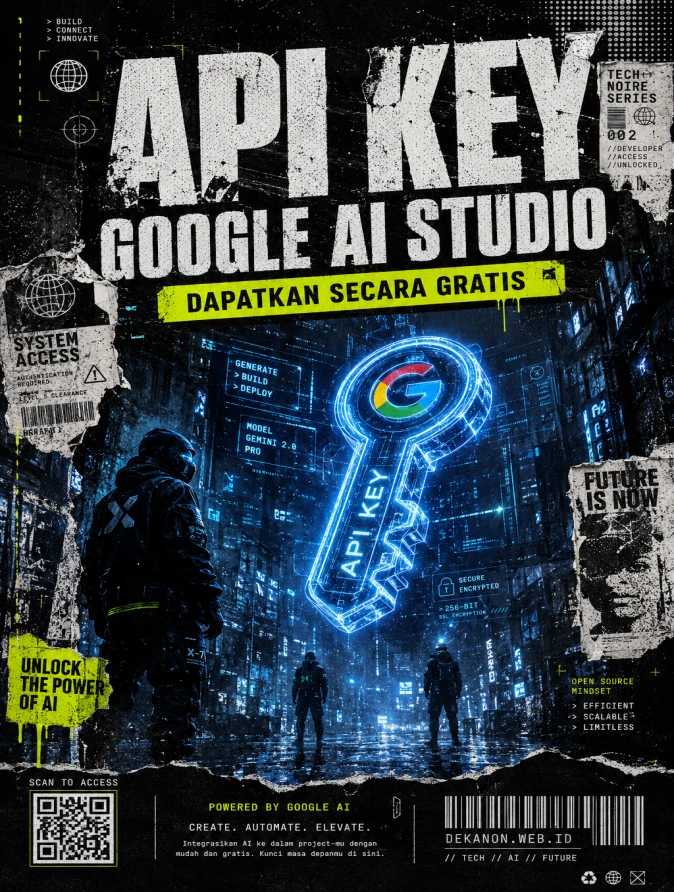
This is a creative direction package designed to bridge the gap between high-end tech and raw, urban streetwear aesthetics. ### 1. [Visual Prompt] **Midjourney / DALL-E 3 Technical Prompt:** > **A professional streetwear-style promotional poster background for a tech blog. The central focus is a glowing, holographic 3D "API Key" symbol floating in a dark, rain-slicked urban alleyway at night. The aesthetic is "Cyber-Grunge" and "Brutalist": featuring heavy film grain, photocopy noise textures, and torn wheatpaste poster edges on concrete walls. Atmosphere: Edgy, raw energy, industrial tech-noire. Lighting: High-contrast shadows with flickering neon blue and acid green highlights. In the background, blurred silhouettes of high-fashion techwear figures. Composition: Wide-angle, low-angle shot to create a sense of scale and power. Style inspired by Hedi Slimane photography mixed with glitch-art overlays. 8k resolution, cinematic lighting, ultra-detailed textures.** --- ### 2. [Agency Layout Tip] To maintain the **Streetwear Grunge** aesthetic while ensuring the information is readable, follow this layout strategy: * **Typography Choice:** Use a heavy, bold Sans-Serif font (like *Helvetica Bold* or *Impact*) for the Hero Title. Apply a "Glitch" or "Distressed Stencil" effect to match the grunge theme. * **Hero Title (API Key Google AI Studio):** Place this in the **Top 1/3rd** of the image. Use "Text Wrapping" or "Brutalist Layout"β€”let the letters be huge, perhaps even slightly overlapping the edges of the frame to give it that "raw" streetwear magazine look. * **Sub-title (Dapatkan Secara Gratis):** Place this directly underneath the Hero Title in a high-contrast "Caution Yellow" or "Acid Green" box (like a label or sticker). This creates a "Call to Action" that pops against the dark grunge background. * **Empty Space (Negative Space):** Ensure the center-middle or bottom-right of the image remains relatively "clean" (just texture, no heavy objects) so the viewer's eye is drawn straight to your text. * **Final Touch:** Add a small "QR Code" icon and a "Bar Code" graphic at the very bottom edge to enhance the industrial/product-packaging vibe of the streetwear style.
πŸ‘ 154
Home / Blogs / Cara Dapatkan API Key Google AI Studio Secara Gratis | DekaNon Labs

Cara Dapatkan API Key Google AI Studio Secara Gratis

Labels
PostA
Google AI Studio Logo

Google Ai Studio

Dapatkan API Key Google AI Studio secara gratis, lalu gunakan untuk mengaktifkan berbagai AI Tools di website ini atau project lain sesuai kebutuhan.


Google AI Studio telah menjadi platform favorit bagi para pengembang yang ingin memanfaatkan kekuatan model bahasa Gemini dengan cepat. Salah satu keunggulan utamanya adalah aksesibilitasnya yang tinggi. Jika Anda sedang mencari cara untuk mengintegrasikan AI ke dalam aplikasi Anda, langkah pertama yang wajib dilakukan adalah mendapatkan API Key.

Berikut adalah panduan praktis untuk mendapatkan API Key Google AI Studio Anda secara gratis:

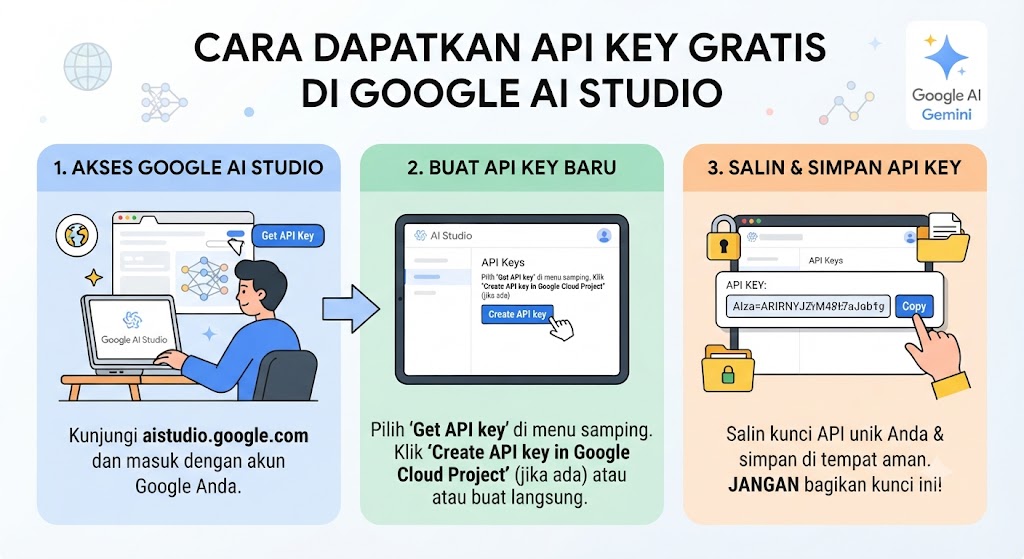
1. Kunjungi Situs Google AI Studio

Langkah pertama, buka peramban Anda dan kunjungi situs resmi Google AI Studio. Pastikan Anda memiliki koneksi internet yang stabil untuk mengakses dashboard pengembang.

2. Masuk dengan Akun Google

Setelah halaman terbuka, Anda akan diminta untuk masuk menggunakan akun Google Anda. Gunakan akun yang aktif agar Anda dapat dengan mudah mengelola proyek-proyek AI Anda di kemudian hari.

3. Akses Menu API Key

Setelah berhasil masuk, perhatikan menu di sisi kiri layar. Cari dan klik tab bertuliskan “Get API key”. Di bagian ini, Anda akan melihat opsi untuk membuat kunci baru.

4. Buat dan Salin API Key Anda

Klik tombol “Create API key”. Sistem akan secara otomatis mengenerate kunci unik untuk Anda. Jika Anda memiliki proyek Google Cloud yang sudah ada, Anda bisa memilih proyek tersebut, atau cukup buat proyek baru secara otomatis. Setelah muncul, segera salin API Key tersebut dan simpan di tempat yang aman, seperti password manager atau file lingkungan (.env) di proyek Anda.

Tips Penting Keamanan

API Key adalah akses utama ke model AI Anda. Jangan pernah membagikan API Key Anda di repositori publik seperti GitHub atau dalam kode sumber yang terbuka untuk umum. Selalu gunakan variabel lingkungan untuk menjaga keamanan kredensial Anda.

Sekarang, Anda sudah siap untuk bereksperimen dengan model Gemini dan membangun aplikasi AI yang canggih. Selamat berkreasi!


Protected Download

This download is protected.
Enter the password to continue.

πŸ’¬ Feedback (0)
πŸ“’ Latest UpdateBelum ada update.


πŸ’¬ Feedback (0)

Belum ada feedback.

×
❮
❯

BookMarks

Tersimpan otomatis di browser Anda